Tools
Editor tools I built for A Tale of Sand and Bone
Whenever a job got slow or repetitive, I built a tool for it. Each one below is shown in use, live in the game.
01 · Live tuning · A Tale of Sand and Bone
Ability Studio
Pick any ability, press Play, and it fires at a target dummy in a test lab while its feel values sit right next to it. Change a number and the next cast shows it.
- No more playing a level to test one attack
- Light, post-processing, shake, hit-stop and sounds per moment
- Edits save back to the ability prefab when Play Mode ends
02 · Live tuning · A Tale of Sand and Bone
Enemy Ability Studio
Pick an enemy and one of its attacks. It spawns in the lab and loops the attack while you tune each beat: wind-up, strike and impact.
- Sounds, shake and wobble per beat
- Loop with adjustable gap and distance
- Player hidden and invincible while you tune
03 · Live tuning · A Tale of Sand and Bone
Interactable Studio
One row per real in-game action (Open, Buy, Pray...) that replays the clip, sounds and effects together, exactly as the game plays them.
- Every chest, shrine and machine in one list
- Replays the real game action, not a raw clip
- Tweaks replay on their own as you edit
04 · Audio tooling · UI Toolkit
Sounds Window
Every sound in the game (~130 events) in one searchable tree, with layered variations, timing bars and live editing while the game runs.
- Layers, variations, delays and offsets
- Timing bars show how layers overlap
- Copy and paste layers between events
05 · Audio pipeline · Python + FFmpeg
Voice Booth
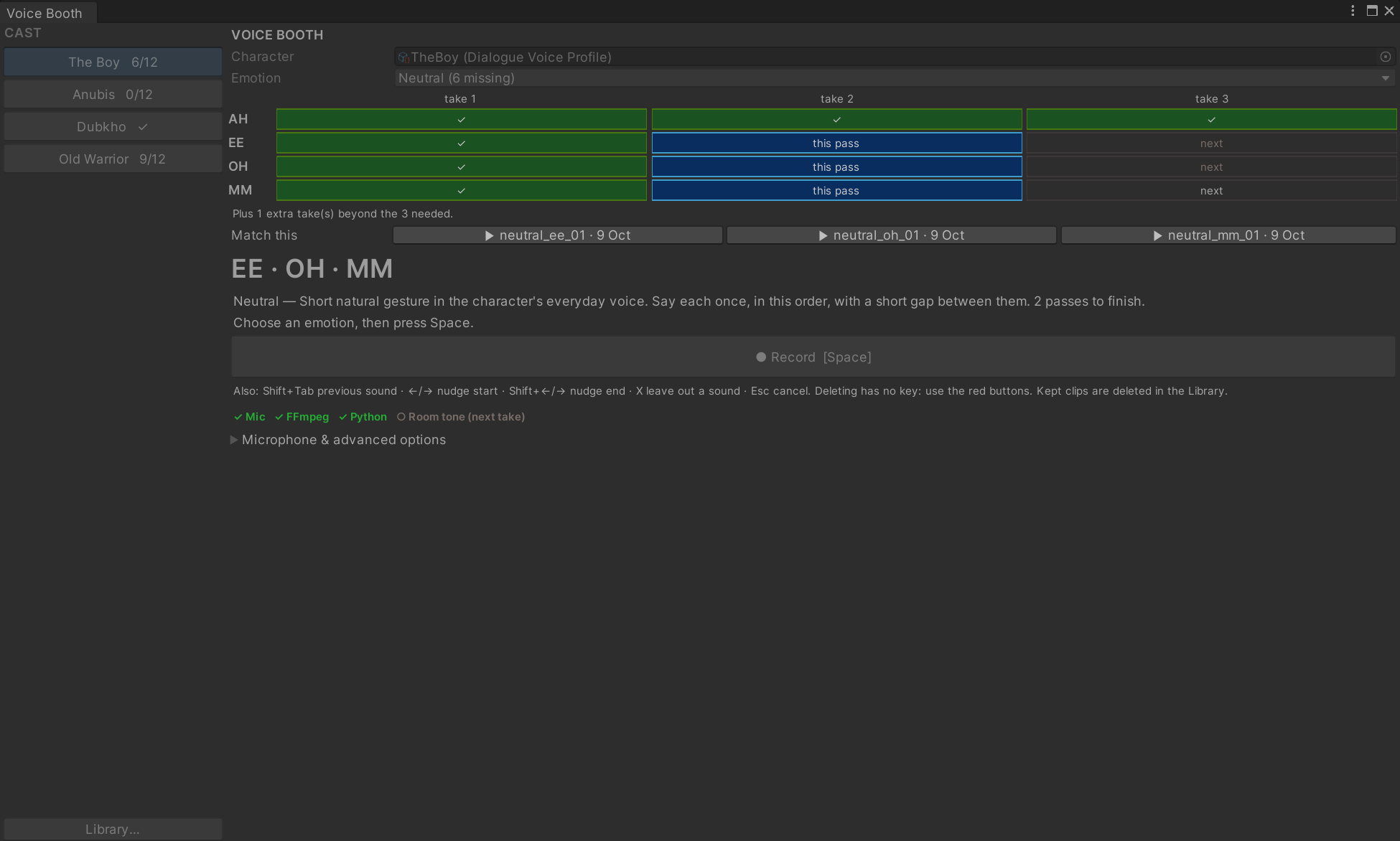
Records character voice takes against a checklist of what each character still needs, then trims and files them.
- Checks mic, FFmpeg and Python before you start
- Shows the next sounds to record, take by take
- Library to listen, edit or delete takes
06 · Pipeline tooling · Talico Dashboard
Content Tools
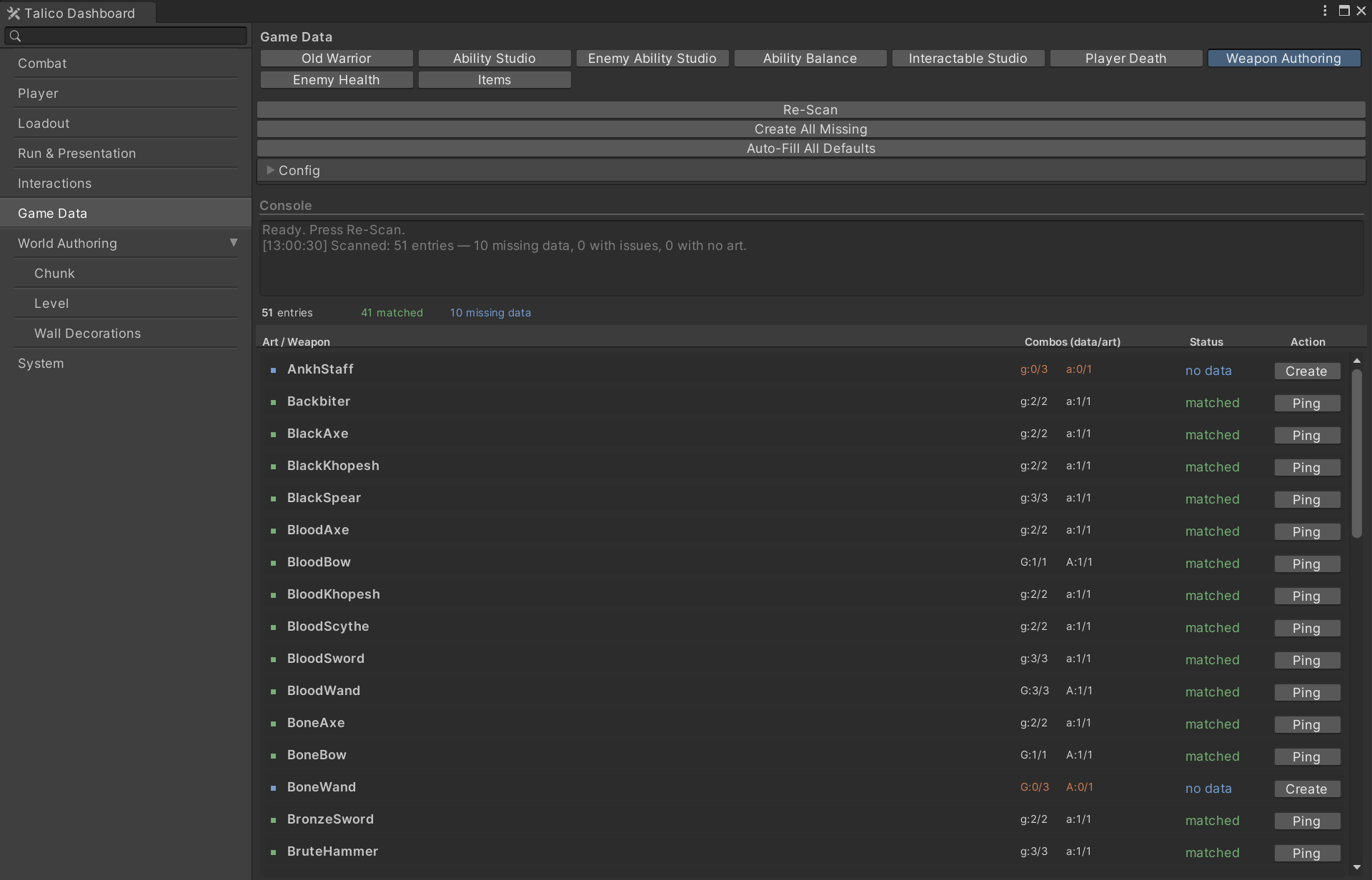
A dashboard any tool plugs into with one attribute. It holds 36 pages for testing, balancing and level authoring.
- Weapon audit: scans 51 weapons, fixes missing data in one click
- Balance tables with staged Apply / Revert
- Batch prefab tools with backups and undo